Cracked outer camera glass
Mention the visible crack, any missing glass, and whether photographs changed after the damage. Avoid pressing on the area or putting tools near an exposed camera; the glass and camera may need different checks.
A camera problem needs more than a look at the glass.
On an iPhone 13, blurred images, unreliable focus, a camera that will not open, and cracked outer glass are different observations. Tell the store which camera is affected and what changed before assuming a lens cover or camera assembly needs replacing.
This guide concerns iPhone 13. Mini, Pro, and Pro Max variants can have different camera hardware; mention the exact variant when known.
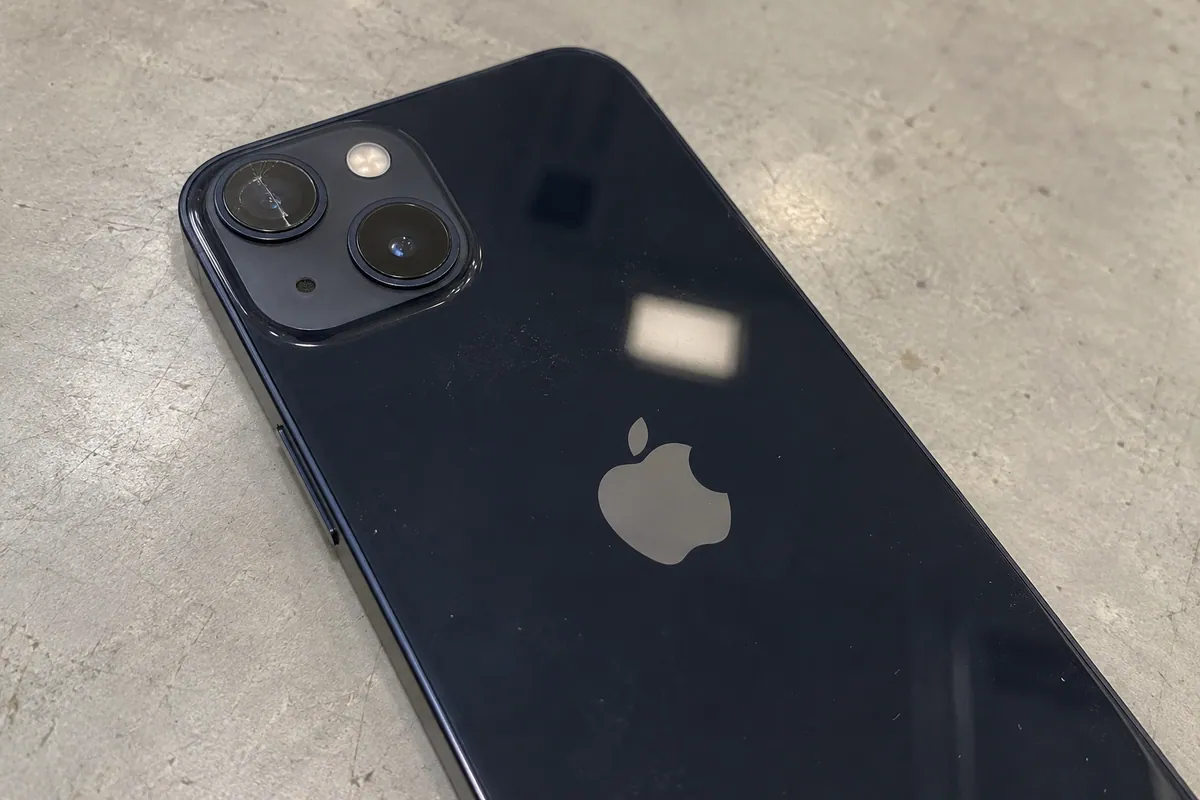
An intact lens cover does not rule out a camera fault. A cracked cover alone does not establish the condition of the camera behind it.
Useful context
Explain whether the issue affects the front camera, rear camera, photos, video, or a particular camera view. The pattern helps frame the assessment.
Mention the visible crack, any missing glass, and whether photographs changed after the damage. Avoid pressing on the area or putting tools near an exposed camera; the glass and camera may need different checks.
Describe whether the problem happens near or far away, in different camera views, or only in one app. An accessory obscuring the camera can affect an image, but do not assume removing it resolves an underlying fault.
Tell the store if a camera view is black, unavailable, or behaving differently after a drop. Mention other affected functions too. A camera symptom is not proof that only one component was damaged.
The next step
A camera assessment should distinguish the visible outer area from the camera behavior before repair scope is agreed.
Contact the right storeIf safe to do so, note which camera view or app shows the issue and whether photos and video behave differently. Share the model variant if known and describe any recent impact or liquid exposure.
Explain both the visible condition and the image problem. Confirm current assessment and parts availability for your model with the intended store rather than choosing a component from the symptom alone.
Discuss whether the proposed work addresses outer glass, the camera, or other findings, and what may remain unresolved. Confirm the device-specific price and timing before approving work.
Repair pricing depends on your device model, the repair needed and the parts option you choose. After we assess your device, we’ll confirm the repair and total price with you before work begins. Any additional repair requires your approval.
Contact your chosen store for the current price for your model and repair. We’ll confirm the recommended work and total before you approve it.
View repair pricing informationQuestions and answers
No. Outer glass damage and camera behavior are separate questions. The assessment should establish what work is appropriate for the device.
Yes. Report blur, focus problems, unavailable views, or other image changes even when the outside looks intact. The cause requires assessment.
No. This guide is for iPhone 13. Use the separate iPhone 13 Pro Max camera guide for that model and confirm your exact variant with the store.